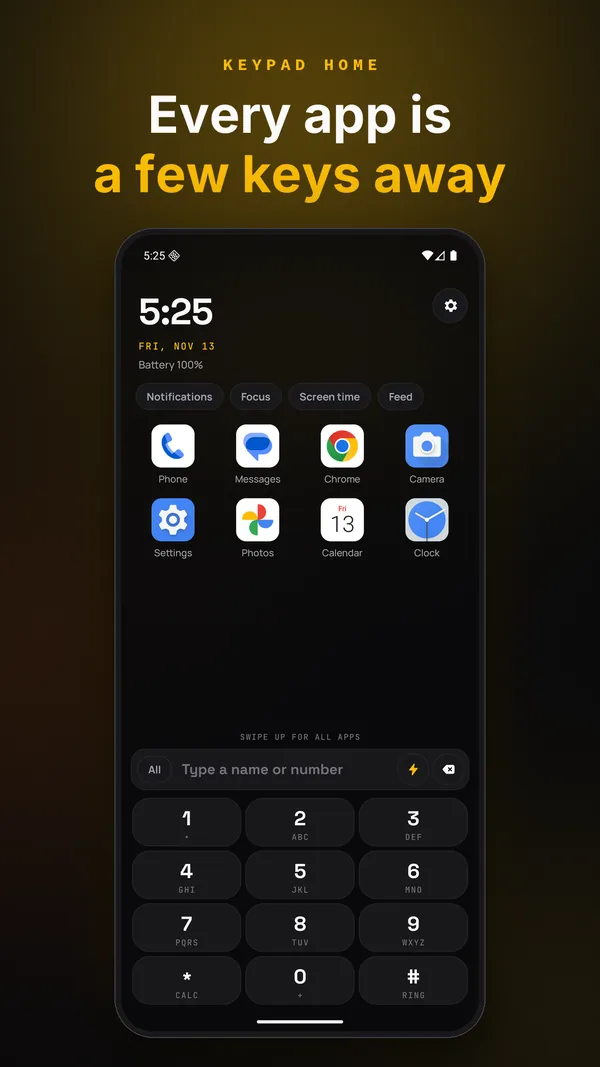
T9 search Core
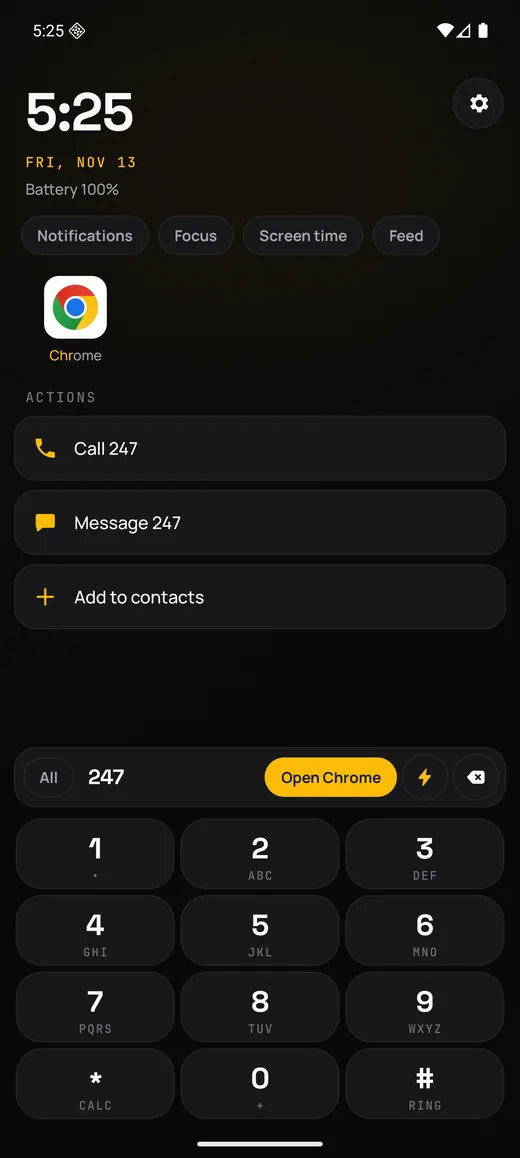
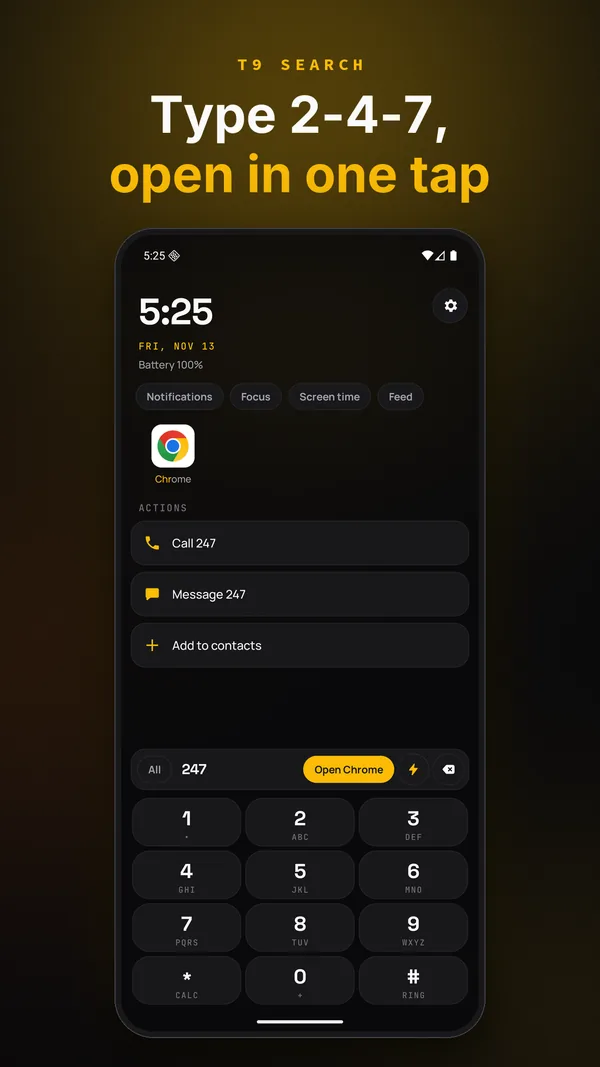
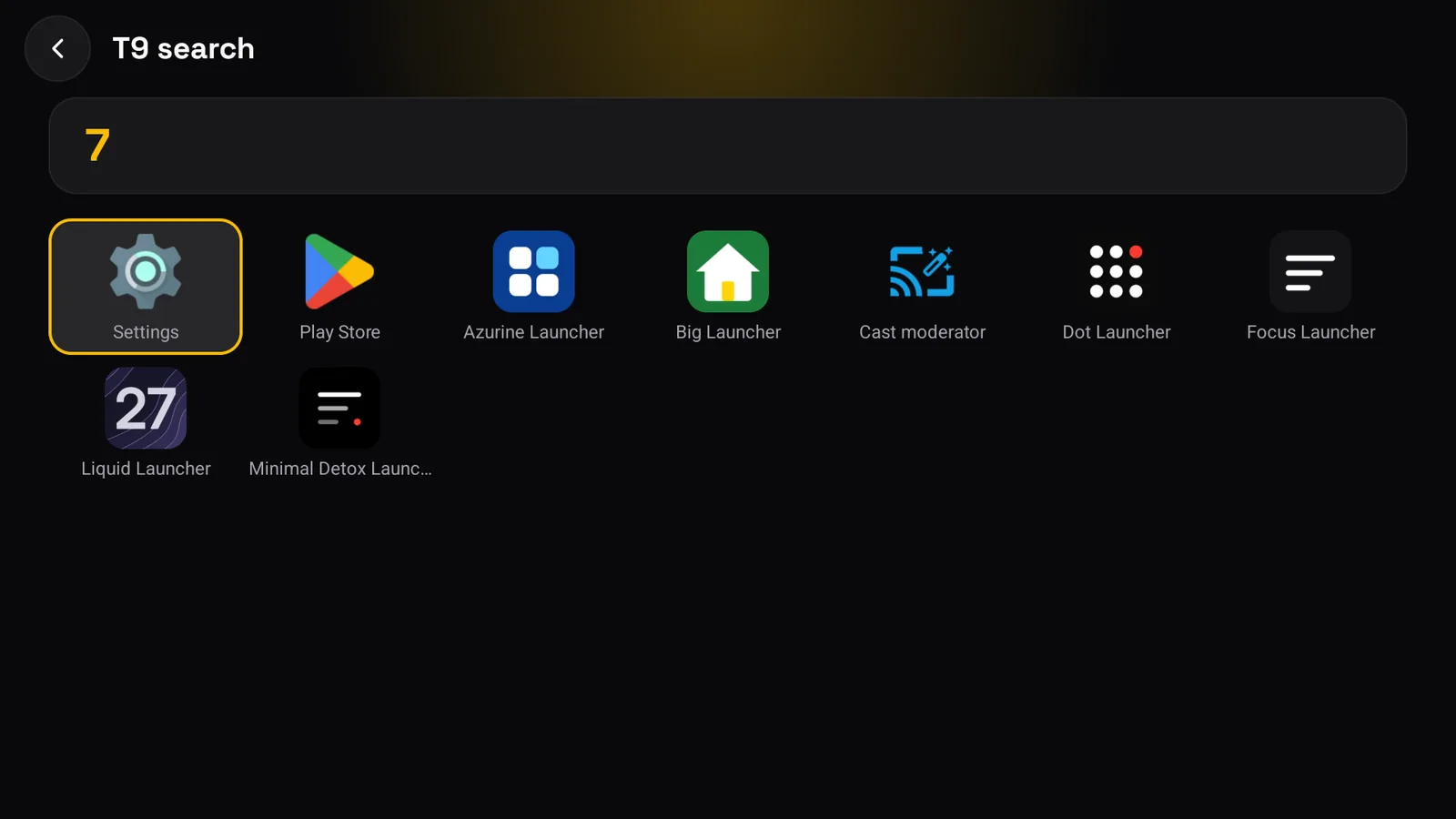
Type an app's letters on the keypad. Apps and contacts appear as you type; call, text or save a number.
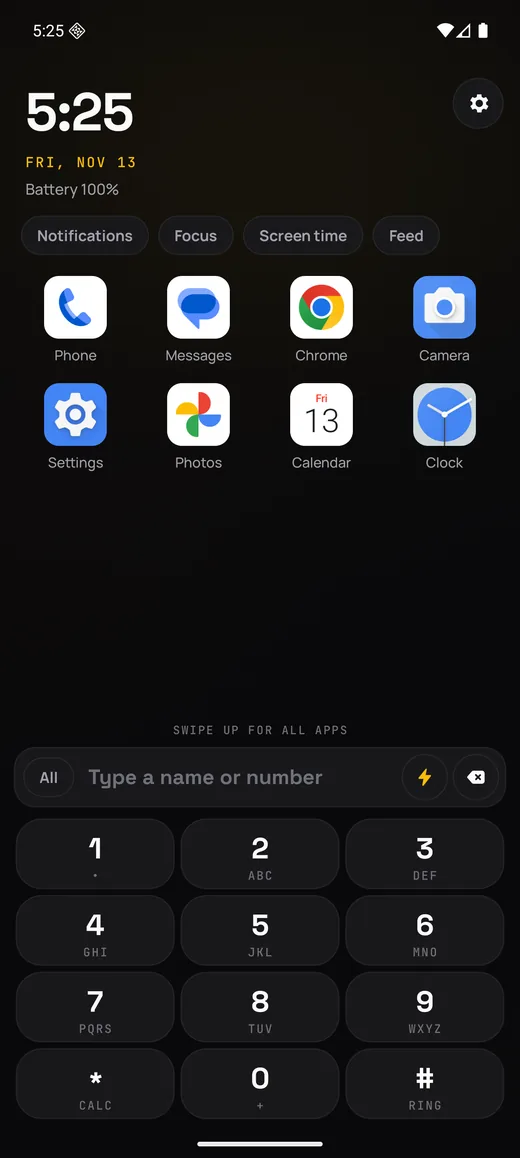
Keypad Launcher replaces rows of icons with a T9 keypad. Type 2-4-7 and the app opens. Fewer icons, fewer reasons to scroll, a calmer phone.
Small tools that make a phone faster to use and easier to put down.
Scroll to explore
Type an app's letters on the keypad. Apps and contacts appear as you type; call, text or save a number.
Switch to QWERTY, QWERTZ, AZERTY or a compact layout in one tap.
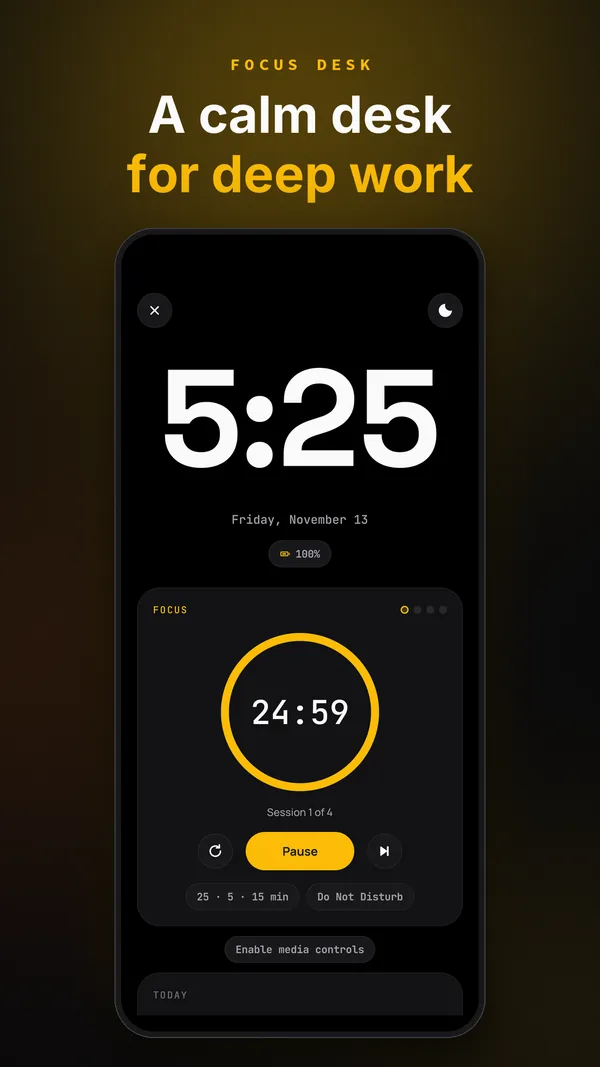
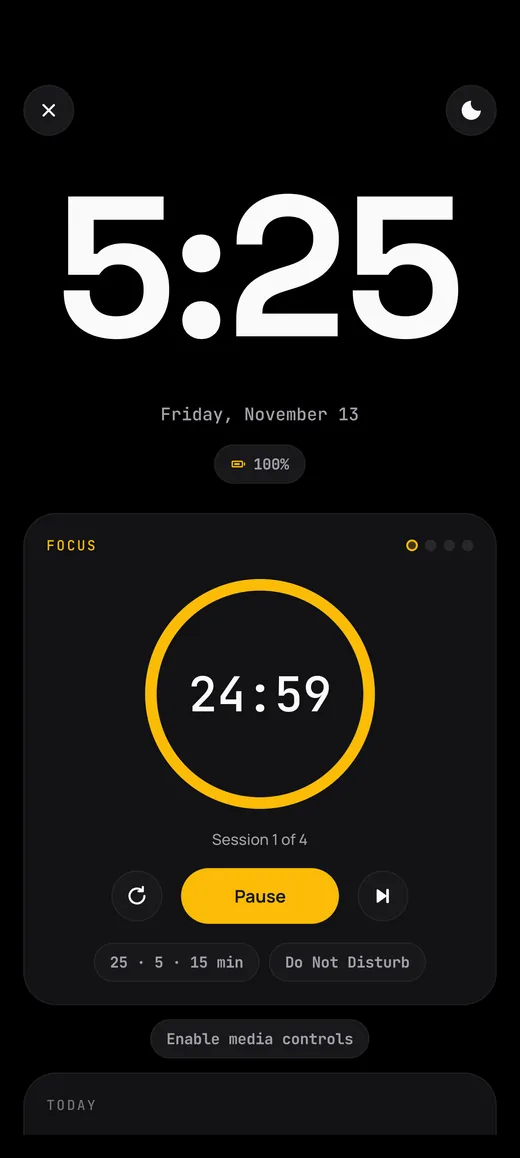
Turn the phone into a desk clock with a Pomodoro timer and today's session count.
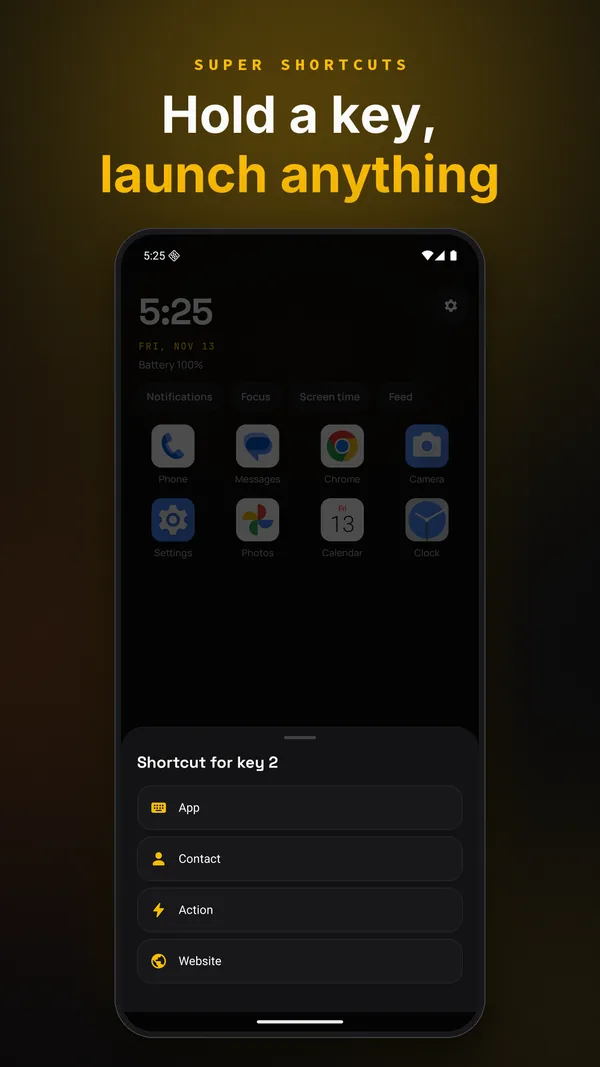
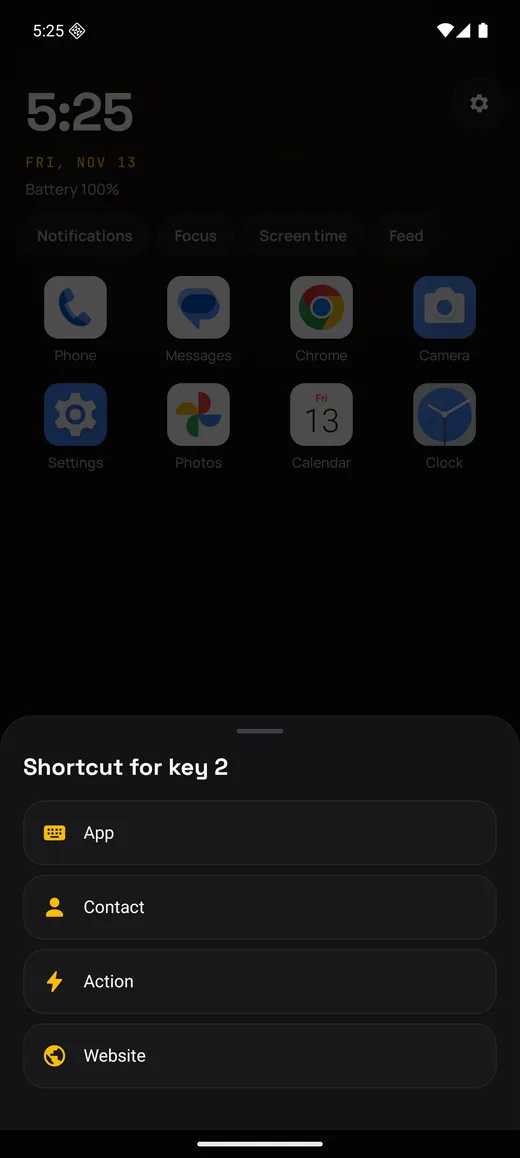
Hold a digit to open an app, call a contact, run an action or visit a site.
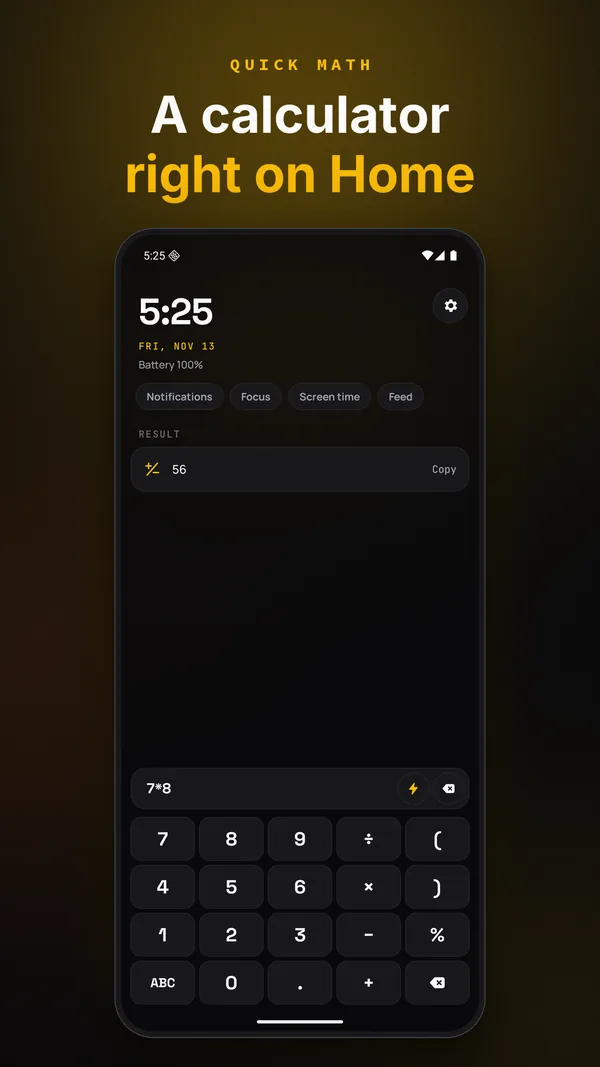
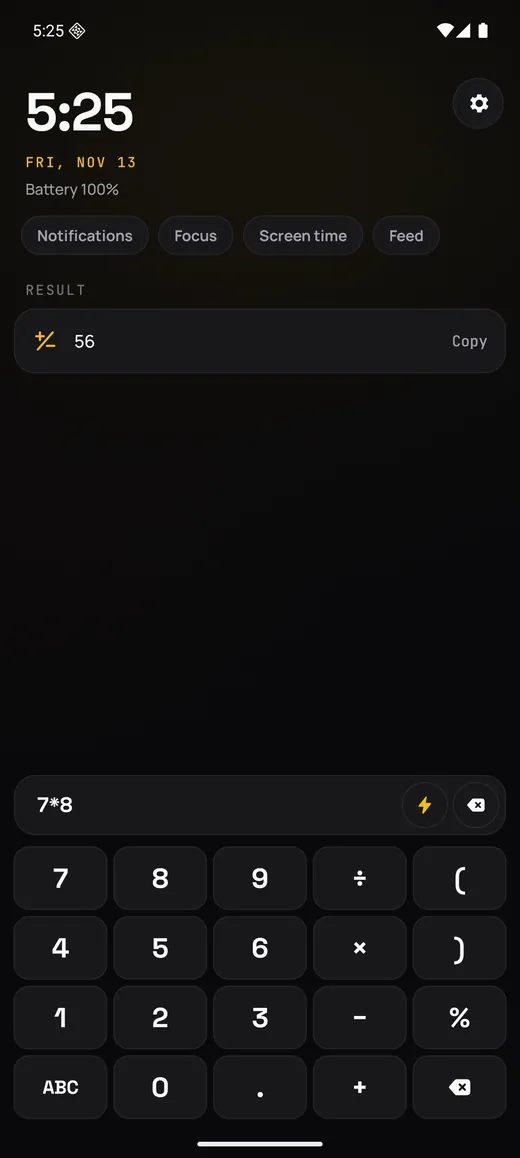
Press * and do the sums right on the home screen.
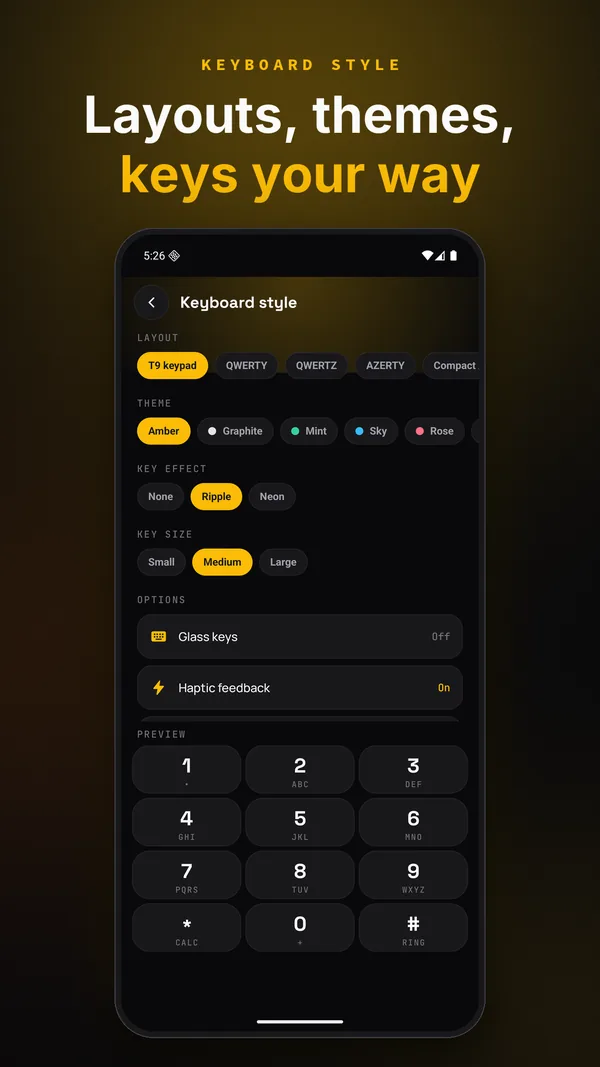
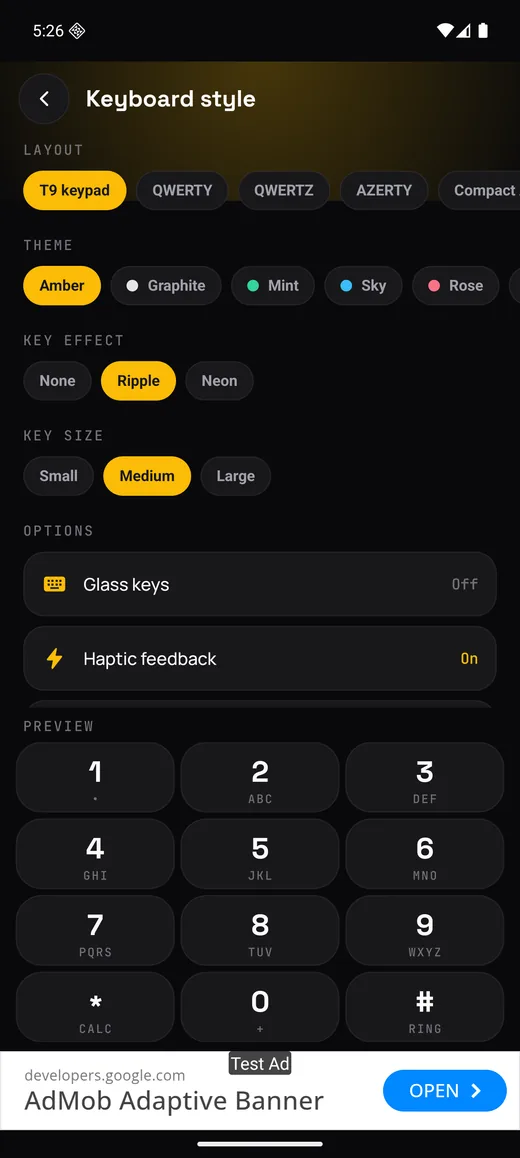
Themes, layouts, key effects, three key sizes, haptics and key sound.
Start a session with a big clock, rest on time, and keep distracting apps one deliberate step away.
Work in sprints with breaks; a count of today's sessions.
Optional: silence the phone while a session runs.
See where the minutes went, on your phone only.
Set a daily budget for an app; Home reminds you when it is used up.
A short pause before a distracting app opens.
One quiet list, grouped by app, with a read-later feed.
How a keypad home compares with the two usual kinds of launcher.
| Feature |  Keypad Launcher | Icon-grid home | Text-list home |
|---|---|---|---|
| Opening an app | Type two or three keys | Swipe pages, tap the icon | Scroll an A–Z list |
| Search | Apps and contacts as you type | A separate search bar | Type letters to filter |
| Focus tools | Focus timer, app limits, mindful delay | Usually none built in | Often app blocking |
| Look | Key themes, layouts and key effects | Icons and wallpapers | Mostly plain text |
| Hidden apps | Vaults opened by a code | Folders or a hide list | A hide list |
| Android TV | Number keys on the remote | Rarely | Rarely |
The free plan has ads. Ads never appear on the home screen keypad itself. Pro removes every ad and lifts the limits.
Everything you need to open apps by key, with a few limits.
No ads, every look, and no limits on keys, vaults or app limits.
US prices. Google Play shows the price for your country.
What each plan includes.
| Feature | FREE PLAN | PRO PLAN |
|---|---|---|
| Search & home | ||
| T9 and QWERTY search | ||
| Contacts in results, call or text a number | ||
| Favourites on Home | 8 | 16 |
| Learns what you open, app aliases | ||
| Keys & looks | ||
| Speed keys | 3 keys | Every key |
| Key themes | 2 themes | All themes |
| Glass keys | 14-day trial | |
| Neon key effect | 1 day per ad | |
| Focus | ||
| Focus timer and desk clock | ||
| Custom focus timers | ||
| Do Not Disturb during focus | ||
| Daily app limits | 1 app | Unlimited |
| Mindful delays | 1 app | Unlimited |
| Screen time today | ||
| More | ||
| Vaults for hidden apps | 1 vault | Unlimited |
| Feed sources | 3 | Unlimited |
| Reply from the notification list | ||
| Muted apps | 2 | Unlimited |
| Android TV | ||
| Ads | Yes, never on the home keypad | None |
Yes. The core keypad home is free, with ads. Ads never appear on the home screen keypad itself. Keypad Pro removes ads and lifts the limits.
No. What you type on the keypad is matched on your phone and never logged or uploaded.
No. A vault hides apps inside this launcher (search, home and app list). It does not lock or encrypt the apps.
Yes. Use the number keys on the remote, press OK and the app starts.
Open Android Settings, Apps, Default apps, Home app, and pick another launcher. Uninstalling also restores it.
Can't find an answer? Write to us at contact@fighttech.vn
Free on Google Play. No account, nothing to set up: pick it as your home app and start typing.
GET IT ONGoogle Play